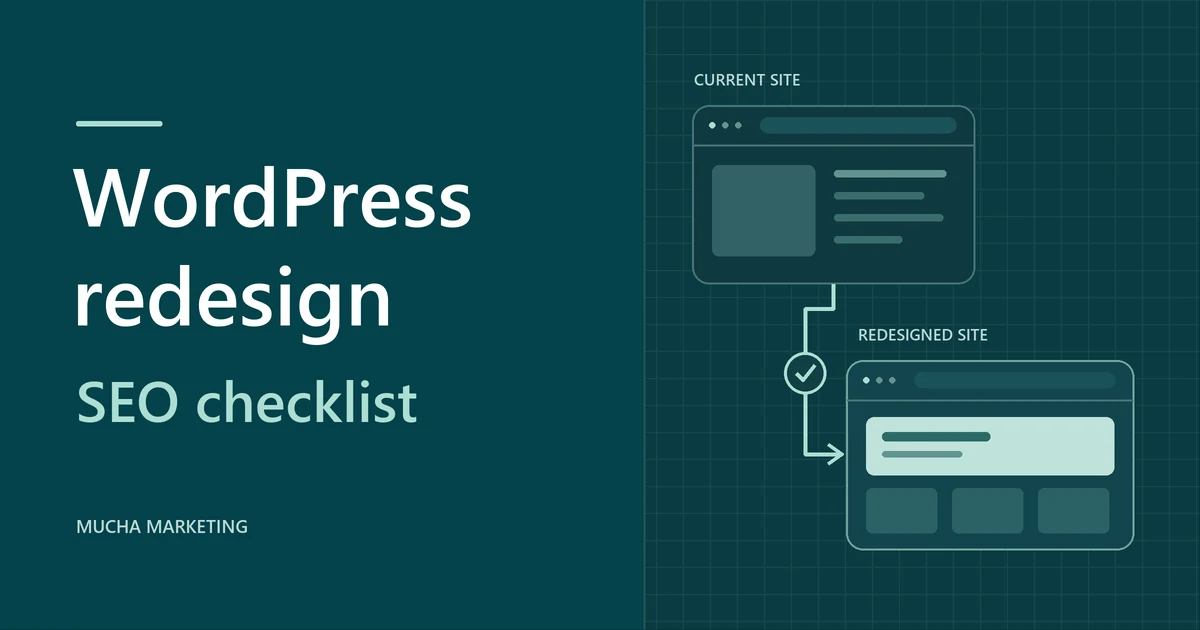
Keep valuable URLs and their useful content, permanently redirect addresses that move, and test the live site before calling the redesign complete. Start with the pages people already find in search or use to contact you.
Even with the same URLs, a new theme or page builder can change copy, navigation, and tracking. Use this checklist yourself or share it with your developer.
What should happen to each old URL?
Start with the old URL
-
Same public URL
200Keep the address. Compare the page with your baseline.
-
Moved or merged URL
301 or 308Redirect once to the closest relevant replacement.
-
No replacement
404 or 410Return a not-found response for the retired page.
For a smaller refresh, our WordPress redesign package covers up to five existing pages. Apply these checks to each page it touches.
What to prepare before a WordPress redesign
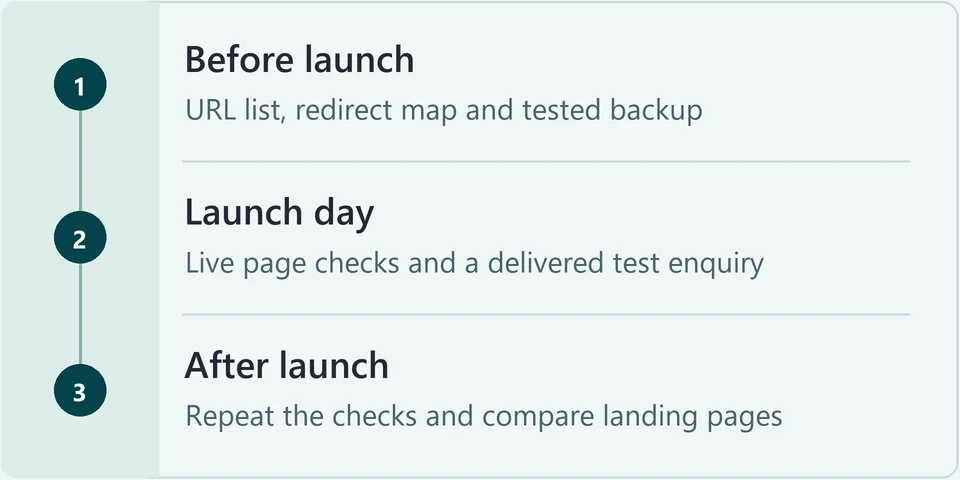
Save a baseline before changing the live site. Keep existing permalinks unless there’s a reason to change them. For a hosting move with the same URLs, test the new environment before changing DNS.
-
Combine your site crawl, XML sitemap and Search Console landing pages in a spreadsheet. Include key downloads and old URLs with redirects or backlinks. Note each URL’s source and remove duplicates.
-
Use recent Search Console clicks and impressions by page and query. Flag pages with backlinks or enquiries. Add GA4 sessions and key events where available, and record why each page is a priority.
-
Save the slug, title, main heading, useful copy, media, internal links and canonical (the preferred URL). Record indexing status, tracking, navigation, mobile layout and any structured data so you can compare them after the redesign.
-
Use WordPress backup guidance to back up files and the database together. Restore the backup away from production, check that the copy works and record the backup date.
-
Protect staging with password or server authentication. The Discourage search engines setting under Settings > Reading does not control access. A logged-out visitor in a private browser window should get a login prompt.
Ready to build
Confirm you have the URL list, page snapshots, tested backup and private staging. Name who owns redirects and the launch decision. Agree how a rollback would preserve new orders or enquiries.
A worked redirect map
This example covers four choices: keep, move, merge, or retire. Record the old URL, action, expected response, destination, and preferred URL (canonical) in your own map.
If you’re moving many pages or finding redirect chains, a technical SEO review can verify the map and flag indexing problems.
| Action | Old URL | Destination | Result |
|---|---|---|---|
| Keep | /services/roof-repair/ |
/services/roof-repair/ |
200 at the same URL |
| Move | /services/gutter-installation/ |
/gutter-installation/ |
301/308 → 200 |
| Merge | /services/downspout-repair/ |
/services/gutter-repair/ |
301/308 → 200 |
| Retire | /offers/spring-2021/ |
No replacement | 404 or 410 |
How to test each row
- Request each old address and confirm its status: 200 for an unchanged page, 301 or 308 for a moved or merged page, 404 or 410 for a retired one. Test staging paths separately, then retest the real production addresses after launch.
- For each redirect, record the Location (the address the redirect sends you to) and confirm it goes straight to the destination in one hop, with the destination returning 200. To see each response, preserve the request log in your browser's Network panel before opening the old address.
- Open each destination and confirm it is the intended page, covers the old page's topic (both original topics for a merge) and has a canonical pointing to its own production URL.
- Point internal links and the sitemap to destination URLs, but leave the redirects in place. Google’s site move guidance recommends keeping redirects for at least a year. Keep them longer if other sites still link to the old addresses.
What to check on launch day
Test the real production site while logged out, with the backup and the owner ready. Staging tests are useful but don't replace these checks.
-
Check the response for every priority row in the map. Each should return its planned status and final address, with no 5xx server errors.
-
Look for noindex in the page meta tags or the X-Robots-Tag header, confirm robots.txt doesn't block important sections, and make sure the Reading setting is unchecked. Every priority page intended for search should be accessible to crawlers, free of unintended indexing blocks and canonicalized to its own production URL.
-
Check a page, a service page, a media file and a form for links, images or scripts still using the staging host or path. Verify each asset loads and diagnose any failure before changing settings.
-
From the homepage, use the mobile menu to reach a service page and the contact form, then send a test enquiry. It must arrive where the business actually reads enquiries. If analytics is configured and consent allows, the successful submission should fire the intended event once.
-
Open the live sitemap and confirm it lists indexable production destinations and that sampled URLs return 200. If the sitemap address changed or the new sitemap hasn't been submitted, submit it in Search Console. A submitted sitemap helps Google discover URLs.
When to pause
Pause for server errors, wrong destinations, unintended indexing blocks or an enquiry that doesn’t arrive. The launch owner decides whether to fix the issue on the live site or roll back. Assign smaller issues an owner and date.
What to monitor after launch
Recheck failures right away, then settle into weekly comparisons instead of reacting to individual days.
-
Within the first few days, retest every old URL, including rows fixed during launch, until each matches its planned status and destination.
-
Each week, compare Search Console clicks and impressions by page and query with a same-length period before launch, allowing for seasonal patterns. Note which pages moved and in which direction.
-
Run URL Inspection on your important destination pages. Record the indexed result and the live test as separate results for each page.
-
Where tracking is configured, compare GA4 key events with the enquiries the business actually received in the same period. Totals can differ because of consent, repeat submissions or lead sources, so look for a new gap that a controlled test can explain.
When to close launch checks
Close the launch checks when the map passes on production, intended pages are accessible and eligible for indexing, and the lead test reaches its destination. Keep watching search performance separately.
What to check if traffic drops after a redesign
A few pages lost visibility
Start with the affected addresses in your map. Check each old URL's response and destination, then compare the destination's title, headings, copy and internal links with the baseline. Check whether those pages share a template before changing other sections.
Search traffic fell across the site
Check availability, robots.txt, noindex and the sitemap before editing content. If analytics fell but Search Console clicks held steady, check that the analytics tag still fires.
Clicks look normal but leads fell
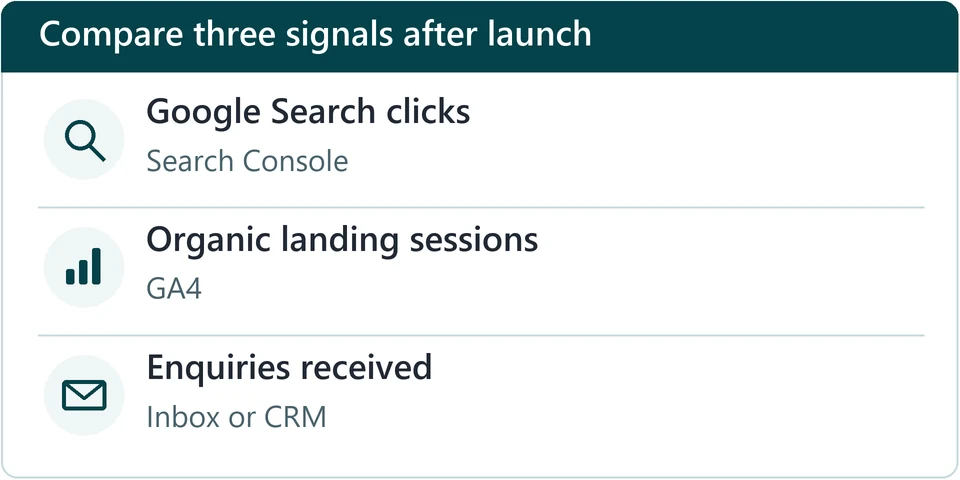
If Search Console clicks hold steady on the affected landing pages, test the path from visit to enquiry and compare GA4 key events with the enquiries actually received. If events fire but messages don't arrive, fix form delivery. If messages arrive but events are missing, fix tracking.
WordPress redesign SEO FAQs
Does a redesign affect SEO if the URLs stay the same?
It can. Keeping the URLs removes the need for redirects, but a new theme or page builder can still change copy, headings, internal links, mobile access, SEO settings or tracking. Compare each priority page with your baseline. Don't change a permalink just because the builder changed.
Do I need to redirect pages I'm removing?
Only if a genuine equivalent exists. Then use a permanent redirect to that page. If nothing replaces the removed page, a 404 or 410 is the correct response, whatever the size of the site.
Will pushing staging to live update my links and canonicals?
That depends on the tool, so check the result rather than assuming. After the push, inspect the live canonicals, internal links, assets and sitemap. While the site is still on staging, protect it with a login. A noindex only works if crawlers can reach the page, and robots.txt does not replace noindex.
How long should I keep redirects?
Keep them for at least a year after the move, and longer if other websites or listings still link to the old addresses. Removing them early turns working links into dead ends.
Why does Search Console still report old 404s or redirects?
Search Console reports what Google found on its last crawl, which may be out of date. Compare the crawl date with the URL's current response. A redirecting old URL listed as excluded can be correct. A live test shows what Google can fetch now, not whether the page is indexed.
Should I use Search Console's Change of Address tool?
Use it for an eligible move to a new domain or subdomain, after putting the redirects in place and verifying both properties in Search Console. It doesn’t apply to path changes on the same domain, a switch from HTTP to HTTPS, or a hosting move that keeps the same URLs.
When will traffic and leads return after a redesign?
There is no universal timeline. Compare equal periods by landing page, and keep three measures separate: Google clicks in Search Console, sessions and key events in GA4, and enquiries actually received. Each one points to a different fix.