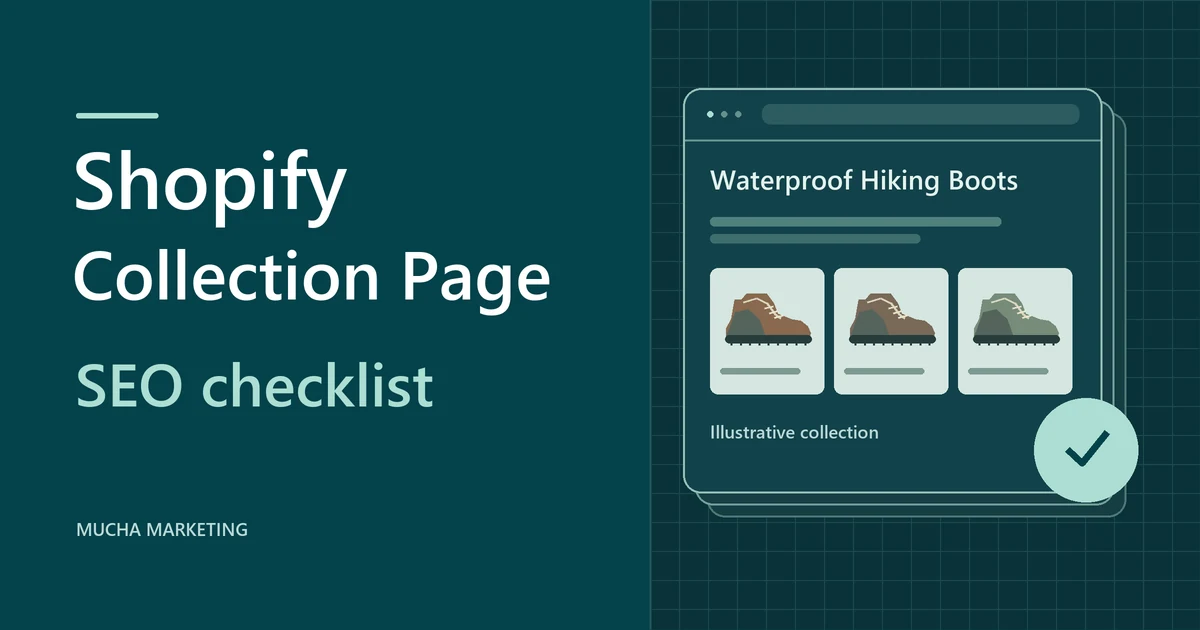
To optimize a Shopify collection page, pick one group of products shoppers want to compare. Give the collection a clear title and a useful introduction, then check its product links, filters and pagination on the live storefront.
Use the eight checks below to find what needs fixing. Start with one collection URL and keep a note of what changed so you can run the same checks again after a theme update or inventory change.
Run the Shopify collection SEO checklist
In Shopify admin, go to Products, then Collections, and open the collection. Open the same collection on your live storefront in a private window on a phone. Start a simple log with the URL, today's date, each test, what you saw and what you changed. Keep Google Search Console open for the final check. If you find yourself deciding which collections should exist in the first place, the storewide e-commerce SEO guide explains how to organize the catalogue.
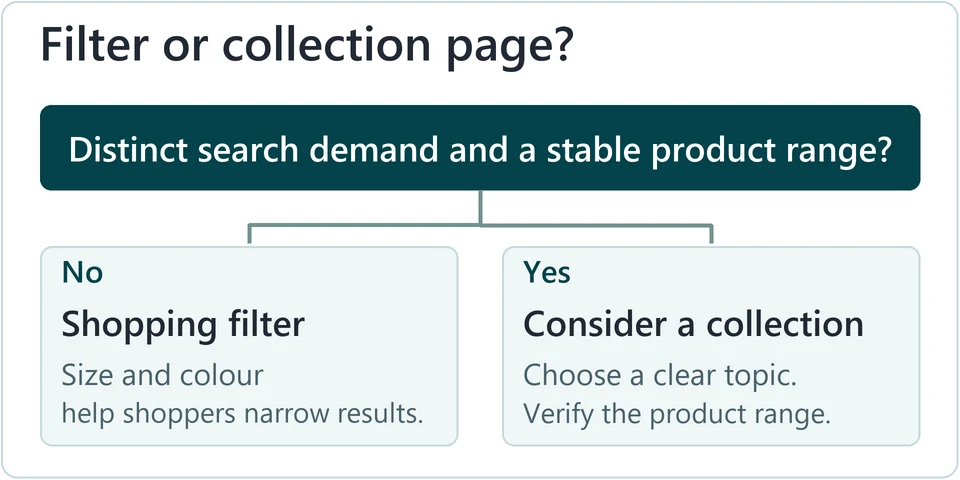
A shopper searching for a range wants to compare options. A shopper typing a precise model name wants one product. Each task should have one preferred page. Search a broad range phrase and a precise model phrase on Google with Canadian, English results. Note which page types appear for each phrase, such as collections, category pages or single products. The broad phrase returns range pages, your inventory genuinely covers that range, and this collection is your one chosen page for that task. If results favour single products, send that task to the product page. If two collections serve the same need, keep one for the task and change the other's focus. The collection title, the description and the search engine listing are separate fields. Each one should describe the same range clearly. Open the collection in admin and review its title, description and Search engine listing (Shopify collection settings). Then load the live page on a phone. The H1 names the range plainly. A short intro explains who the range suits or how to choose. The search title and description match the page, and the copy displays on mobile. If the description is missing on the live page, check the collection template in the theme editor. Dawn's collection banner can hide the description, so check its settings. Add longer buying help only where it helps shoppers decide. Shoppers open a collection to see the grid. The grid has to deliver what the title promises. Check whether the collection uses smart conditions or manual selection. Then view the live grid on a phone and review the first products, the sort order and the filter and sort controls. Every product fits the collection's promise, relevant items appear early, and the grid sits near the top of the page. Tighten the smart conditions or remove stray manual products. Change the default sort so relevant items lead. Move long copy below the grid. Menus and related links help shoppers and Google find the collection. Product cards need to lead to each product's preferred address. Reach the collection from the main menu and from one related page. Click several product cards and note the address each one opens. In the page source, compare that address with the product's canonical tag, which names the preferred address. Logical menus lead to the collection and product cards lead to the preferred product address. Breadcrumbs describe the shopping path, which can differ from the URL itself (Google e-commerce site structure guidance). Add a menu or related-page link where shoppers would expect it. If product cards open a path such as /collections/hiking-boots/products/ridge-trail-boot, check whether your theme uses Shopify Liquid’s within filter and compare the path with the product canonical. If the same problem appears across several templates, an audit through our Shopify SEO services can trace which template is generating those links. Filters and sort options create parameter URLs, which add extra text after a question mark in the address. They help shoppers narrow a range, but they are rarely landing pages in their own right. On a compatible theme, review your Shopify Search & Discovery filters (Shopify filter settings). Apply one filter on the live page, copy the address it creates, and check that page's canonical and robots meta tag in the source. Try a sort option separately, then clear the filter and confirm you can return to the base collection. Filters such as availability, size and colour help shoppers compare. Your log states how you intend search engines to treat the filtered URLs. You can tell the base collection, a filtered view and a sorted view apart in your log. For instance, sort_by usually changes product order while the availability filter changes which items appear. Remove filters that do not help shoppers. If a filtered view matches a distinct search need with stable inventory, consider a curated collection instead. Audit before you change robots rules, noindex or canonicals. Each works differently, and a robots.txt block can stop Google from seeing a tag on the page (Google faceted navigation guidance). Products beyond the first page need a crawlable path, which means an ordinary link that Google can follow. First confirm the collection has a second page. Inspect the rendered links on page 1 for an actual link to page 2, and inspect the links to products on page 2. Compare its canonical with its own address. A button labelled “Load more” is not evidence of a crawlable link. Each page has its own URL, a different set of products and a canonical that points to itself, as Google recommends (Google pagination guidance). If page 2 has a canonical pointing to page 1, or if load-more buttons or infinite scroll are the only way to reach later products, have the theme add real page links and correct the canonical. An empty grid gives shoppers nothing to do. The right fix depends on whether the products are coming back. Record why the collection is empty and when, if ever, products will return. A seasonal page gives honest timing and offers alternatives. A retired page redirects to a closely relevant page or returns a genuine 404 or 410 status. Add timing and alternative links to a temporary page. For a permanent replacement, redirect to a closely related collection. Shopify redirects only work from paths that no longer exist, and some paths are excluded (Shopify URL redirects). Admin settings and the theme can disagree. The live page shows what shoppers and Google actually receive. Log out and load the collection on a phone. Confirm it returns a 200 (OK) status and that its canonical is the intended URL. Run a live test in URL Inspection (Google URL Inspection) and check the indexed status separately. The live test shows the page is accessible. Your log records Search Console clicks and impressions, relevant Shopify Analytics figures and a retest date. If the collection is new, record the starting figures when data becomes available. A successful live test can show accessibility without confirming indexing. Correct any status or canonical mismatch and retest. Repeat this check after theme updates, rule changes or seasonal stock changes.Match the collection to one shopping task
Edit collection copy and the search engine listing
Verify the assortment and product grid
Check navigation and product links
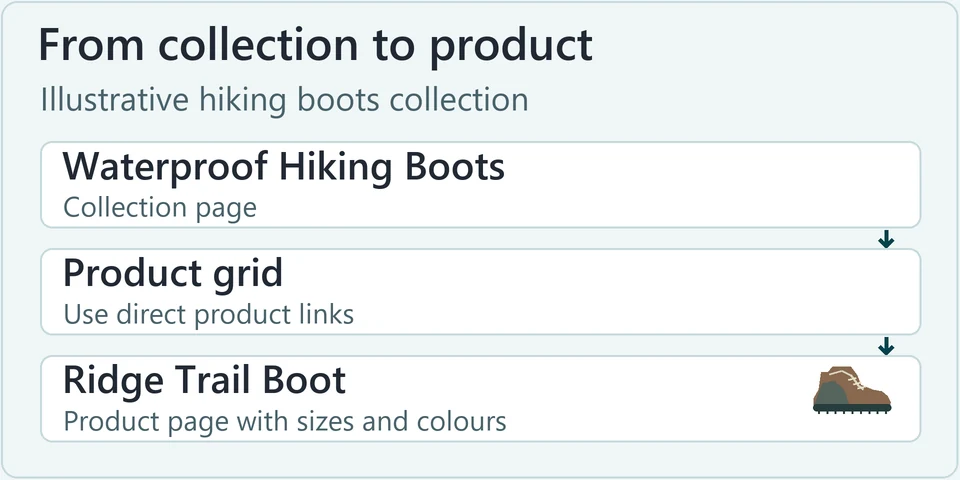
/collections/waterproof-hiking-bootsProduct cards should use standard links that crawlers can follow to each product./products/ridge-trail-bootIf the card opens a collection-context URL, compare it with the product’s canonical URL.
Decide what filters should do
?filter.v.availability=1Example parameter. Narrows the grid to in-stock boots if your theme emits it.
Verify page 2 and onward
?page=2Check that the grid shows different boots and the canonical points to the full page 2 URL.
Handle empty and retired collections
Verify live and record a baseline
Worked example with Waterproof Hiking Boots
This fictional store sells hiking footwear. Use the example to see how a collection, a shopping filter and a single product work together.
- Before
-
The store starts with one Boots collection that mixes hiking, winter and fashion styles and gives no guidance on fit or sizes. A shopper who wants waterproof hiking boots has to scan the whole grid.
- After
-
The broad browsing task moves to /collections/waterproof-hiking-boots. The menu nests it under Hiking Footwear, and each collection keeps its own flat URL. Product cards link directly to /products/ridge-trail-boot. The product page SEO checklist covers the next step: checking that the boot’s page displays the right size, colour and stock when shoppers choose a variant.
- Page copy
-
Search title: Waterproof Hiking Boots | Trail Footwear. H1: Waterproof Hiking Boots. Sample intro: 'Compare waterproof hiking boots by terrain and fit, then filter to see which sizes are available.' Google may still show a different title or snippet.
| Example URL path | Purpose and action |
|---|---|
/collections/waterproof-hiking-boots |
Main collection. Keep this as the search landing page and link to it from navigation. |
/collections/waterproof-hiking-boots?filter.v.availability=1 |
Shopping filter. Use it to show in-stock boots without making it a separate SEO landing page. |
/collections/waterproof-hiking-boots?page=2 |
Pagination. Use crawlable links and give this page its own canonical URL. |
/collections/womens-waterproof-hiking-boots |
Conditional collection. Create it only if distinct search demand and a stable selection justify a separate page. |
- Filter
-
Apply the in-stock filter and copy the address it creates. If this theme emits an availability parameter, record the canonical and robots tag before you decide anything. Hold off on a separate women's collection until both a distinct shopper need and a stable range are confirmed.
- Pagination
-
If the range grows past one page, confirm that page 1 links to page 2 in the source and that page 2 shows different boots. If everything fits on one page, skip this step and note that in the log.
- Retest
-
The after-check reaches the collection from the menu on a phone and confirms the title, intro and Ridge Trail Boot link render. It then applies a filter and opens a later page if one exists. The log records what was seen and sets a retest date.
Shopify collection page SEO FAQs
Can I put one collection inside another?
Present a subcollection as its own collection and link it beneath the parent collection in a nested menu. Create it only when it serves a distinct shopper need with a meaningful assortment of its own.
Why doesn't my collection description show?
Your theme may not display it. Open the collection template in the theme editor, check the banner or description block and its settings, then preview the live page on mobile.
Should copy go above or below the grid?
Place a short intro near the top so shoppers know what the range covers. Add longer buying guidance below the grid if it helps. No word count is required.
Why does Google show a different title?
Google can generate a title link from the title tag, the main heading and other signals. Check that the live title and H1 clearly describe the same range. If you recently changed them, compare the live page with the indexed record in URL Inspection.
Should I try to rank a filtered collection?
Use filters for immediate shopping needs. If a filtered view matches a distinct search need with stable inventory, build a curated collection with its own URL and copy instead.
What canonical should page 2 use?
When page 2 exists, give it its own crawlable URL and a canonical that points to itself, not to page 1. Check what your theme actually outputs.
What do I do when the collection is empty?
Decide whether it is seasonal or retired. Keep a seasonal page with honest timing and alternatives. Redirect a retired page to a close replacement, or let it return a 404 or 410 if no replacement exists.